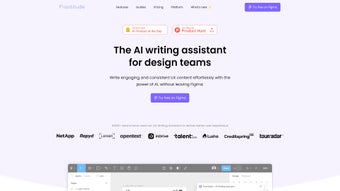

Download Frontitude – AI‑Powered UX Content Tool for Figma
Intro
In today’s fast‑paced product development cycles, the line between visual design and copywriting is blurring. Teams that can co‑create content and interface without hopping between tools enjoy a clear advantage: faster releases, tighter brand consistency, and happier stakeholders. Frontitude answers that need by embedding an AI‑driven UX writing assistant directly inside Figma. Whether you are a solo designer, a cross‑functional sprint team, or a large enterprise managing multiple product lines, Frontitude promises to streamline the content workflow while keeping every screen on‑brand. This review explores the core capabilities, real‑world usage, strengths, and areas where the plugin could improve, giving you a comprehensive picture before you decide to download.
Overview & Core Features
Frontitude is a Figma‑native plugin that acts as a co‑pilot for UX writers and designers. Once installed, it continuously scans the active canvas, detects text layers, and offers context‑aware copy suggestions drawn from a large language model fine‑tuned on UX patterns. The plugin also enforces brand‑specific guidelines that you upload once, turning your style guide into an active rule set that flags tone mismatches, prohibited terminology, and length violations in real time. By surfacing suggestions exactly where designers work, Frontitude eliminates the back‑and‑forth that traditionally slows down content approval. The solution is offered as a free‑to‑try tier with optional premium upgrades for advanced governance and priority support.
- AI‑Generated Copy Suggestions: Real‑time, context‑aware alternatives appear as you select a text layer, reducing the need for manual brainstorming.
- Embedded Content Guidelines: Upload a JSON or CSV style guide once; the plugin enforces it automatically across all components.
- Design‑System Sync: Direct integration with Figma component libraries ensures linguistic rules travel with visual assets.
- Batch Review Mode: Scan entire pages or prototypes for inconsistencies and receive a sortable report.
- Collaboration Controls: Role‑based permissions let admins lock guidelines while allowing junior designers to experiment.
- Version‑Safe Updates: Changes to the design system automatically refresh the rule set.
- Export‑Ready Assets: Export copy‑enriched components to JSON or hand‑off tools like Zeplin.
Installation & Usage Instructions
Getting Frontitude Up and Running
1. Visit the Figma Community: Search for “Frontitude” or follow the direct link from the Frontitude website. Click “Install” to add the plugin to your account—no extra credentials are required beyond your existing Figma login.
2.
Activate the Plugin: Open any design file, then navigate to Plugins → Frontitude → Open. A right‑hand sidebar slides in, ready for configuration.
3. Import Your Guidelines: In the sidebar, click “Import Guidelines” and upload a JSON or CSV file containing your brand voice rules, prohibited terms, character limits, and tone descriptors.
Frontitude validates the file and creates a live rule set linked to your design system.
4. Set Permissions: As an admin, assign “Read‑Only,” “Editor,” or “Owner” roles for each project, ensuring only authorized users can modify the rule base.
Daily Workflow Integration
Once activated, Frontitude works silently in the background. Selecting a text layer triggers the AI engine, which proposes up to three alternatives directly beneath the layer. Designers can accept a suggestion with a single click, tweak it manually, or request a different tone (e.g., “more friendly”).
If the copy breaches a guideline—such as exceeding a character limit—the plugin highlights the text in amber and shows a tooltip explaining the violation. For larger screens, the “Batch Review” button scans the entire page and generates a modal with a table of violations; each row links back to the offending element for instant correction. All edits are version‑controlled, allowing you to revert to prior copy states if needed.
When the design is ready for hand‑off, the “Export Copy” button produces a JSON payload that developers can import into localization pipelines, ensuring the approved text travels unchanged into code.
Because Frontitude is a Figma plugin, it runs wherever Figma runs—Windows, macOS, Linux browsers, and the Figma desktop app on all major platforms.
Pros and Cons
What Designers Love
- Speed: Reduces copy‑review time by up to 40 % thanks to instant AI suggestions and batch scanning.
- Consistency: Guarantees that every screen follows the same voice, eliminating brand drift across features.
- Seamless Figma Integration: No context switching; all content work stays inside the design file.
- Scalable Governance: Centralized guidelines update once and propagate instantly across all projects.
- Free Tier Available: Small teams can start without a license, making adoption low‑risk.
Areas for Improvement
- Learning Curve for Non‑Designers: UX writers unfamiliar with Figma may need initial training.
- Limited Offline Mode: The AI engine requires an internet connection; offline sessions are not supported.
- Customization Depth: Advanced rule scripting is limited to JSON; a visual rule builder would help non‑technical teams.
- Performance on Large Files: Scanning prototypes with 500+ screens can cause brief lag.
- Enterprise Pricing: While the free tier is generous, enterprise licensing costs may be a consideration for large organizations.
Conclusion & Call to Action
Frontitude bridges the gap between UX writing and visual design, turning copy creation into a collaborative, data‑driven activity that lives inside Figma. Its AI‑powered suggestions, real‑time guideline enforcement, and batch‑review capabilities give teams a measurable boost in speed and consistency—two metrics that directly impact product quality and time‑to‑market. While the tool shines for remote and cross‑functional teams, organizations should consider the modest learning curve for non‑designers and the need for an internet connection during heavy use.
Overall, Frontitude stands out as a secure, free‑to‑start solution that scales with your design system and helps maintain a coherent product voice across every screen. Ready to streamline your UX content workflow? Download Frontitude today and experience a faster, more consistent design process from the first sprint onward.
Frequently Asked Questions
How do I install Frontitude in Figma?
Open the Figma Community, search for “Frontitude,” and click “Install.” The plugin will appear under Plugins → Frontitude in any file you open.
Is Frontitude free to use?
Yes, Frontitude offers a free tier with unlimited AI suggestions and batch reviews. Premium plans unlock advanced governance features and priority support.
Can Frontitude work with my existing design system?
Absolutely. Frontitude syncs with Figma component libraries, and you can import your brand guidelines in JSON or CSV format to enforce them across the system.
What operating systems are supported?
Frontitude runs wherever Figma runs – Windows, macOS, Linux browsers, and the Figma desktop app on all major platforms.
How does Frontitude protect my design data?
All communication with Frontitude’s AI servers is encrypted via HTTPS, and no design content is stored permanently; the plugin only processes data in transit for suggestion generation.



.png)



